01 / TRUECALLER / GROWTH
Designing an Android recovery experience for users whose permissions no longer support Truecaller’s core experience: Caller ID.
What started as a fast intervention for “passive leavers” evolved into a broader permissions strategy spanning app launch, re-engagement and onboarding.
Role
Product design, research and testing
Core team
Product Designer, Senior Product Manager, Project Manager
Collaboration
Android Engineering
Timeline
May–August 2026
Platform
Android
THE FINAL EXPERIENCE
The checklist brings missing permissions together in one place and guides users through the system settings needed to restore them.
01
Prioritized recovery
Only missing permissions are surfaced.
02
Clear value
Each step explains why the permission matters to Caller ID.
03
Visible progress
Completed permissions update the checklist as users return to Truecaller.
THE PROBLEM
Caller ID only works with the right permissions
don’t see Caller ID
Truecaller’s core experience on Android depends on permissions that allow Caller ID to appear and the app to keep working reliably in the background.
Android 16 introduced stricter restrictions on background activity, contributing to more app processes being frozen and critical functionality becoming unavailable. Combined with permissions being missing or revoked over time, this meant users could still have Truecaller installed while Caller ID — its core experience — was no longer working reliably.
We saw an opportunity to help these users restore their setup before becoming passive leavers.
Permissions missing
Background reliability affected
App feels like it stopped working
User becomes a passive leaver
A checklist for recovery?
Existing users could be missing several critical permissions without realizing anything had changed. We needed a way to make those gaps visible and give users a clear path to restore their setup.
Our first idea was intentionally simple: bring the missing permissions into one checklist, let users complete each item, and make progress immediately visible with clear completed states.
The assumption was that recovery could be just as simple — tap a missing permission, grant it, come back, check it off. But before taking the concept further, I needed to understand what those recovery journeys actually looked like across Android devices.

DISCOVERY
ADAPTING THE GUIDANCE
The guidance had to adapt to the system
The recovery path wasn’t completely universal. Instructions needed to account for differences across manufacturers and Android versions, while still guiding users toward the same outcome.

But Vivo introduced a different level of complexity.
THE EDGE CASE
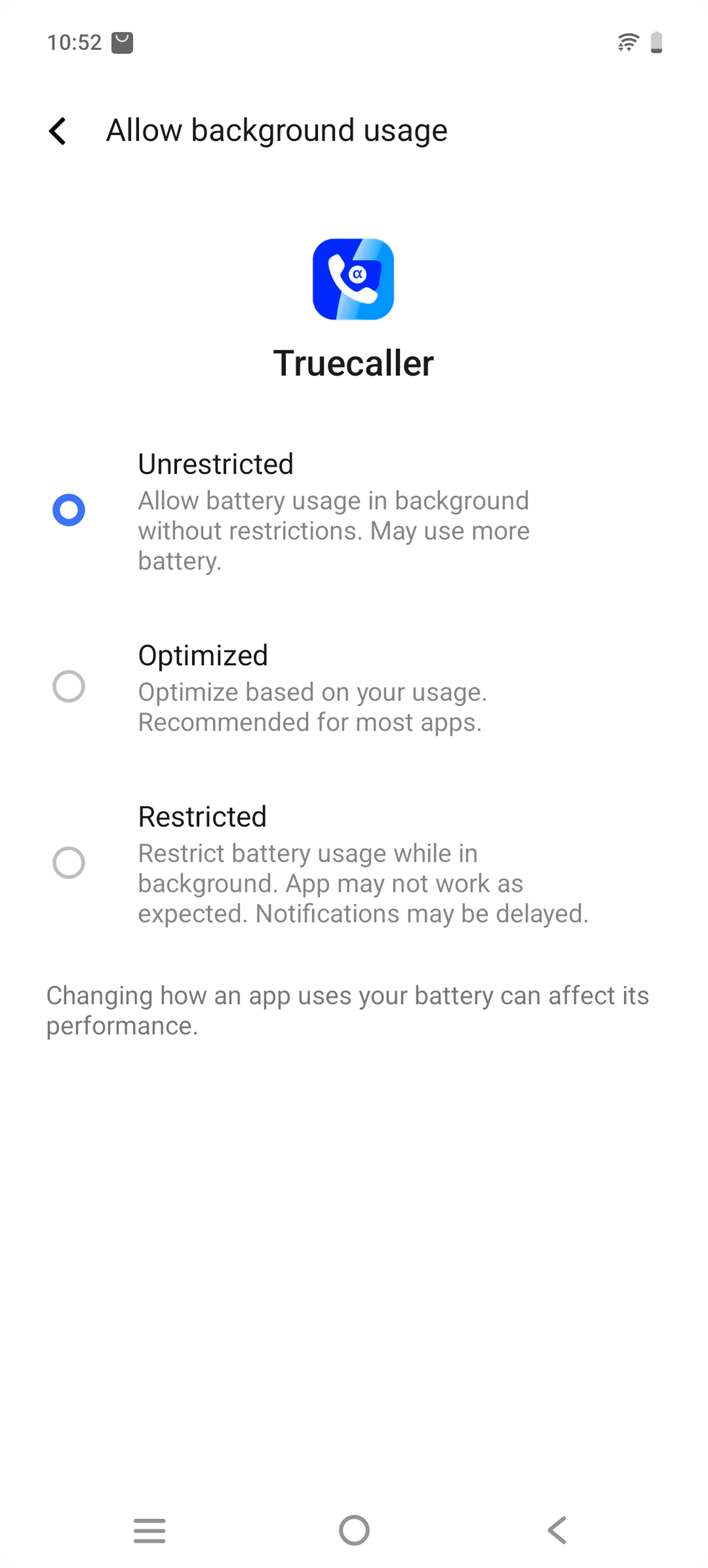
Unlike other OEMs, Vivo required users to navigate several system settings to disable battery optimisation. One critical step appeared static, making it unclear that users needed to tap it to continue.
22%
of users were on Vivo, our largest OEM group.


EXPLORATION
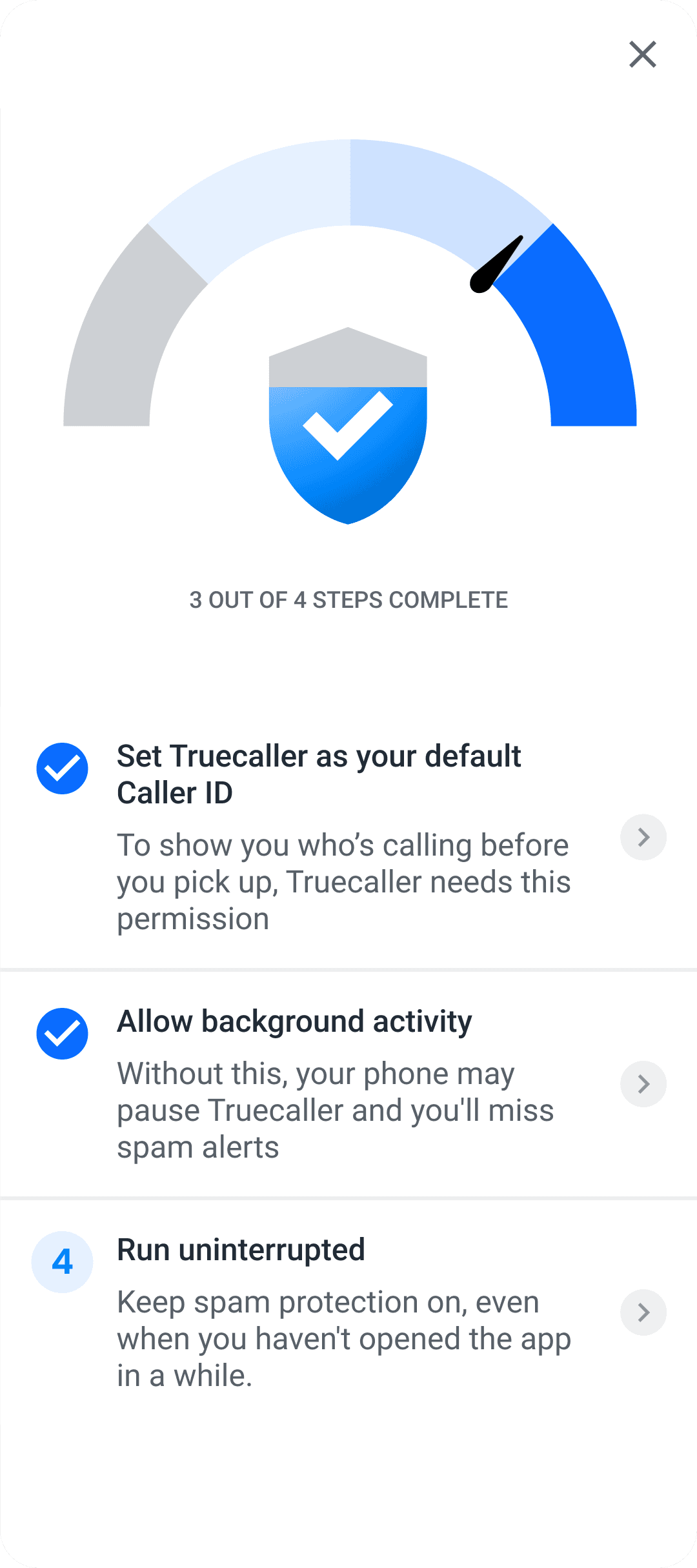


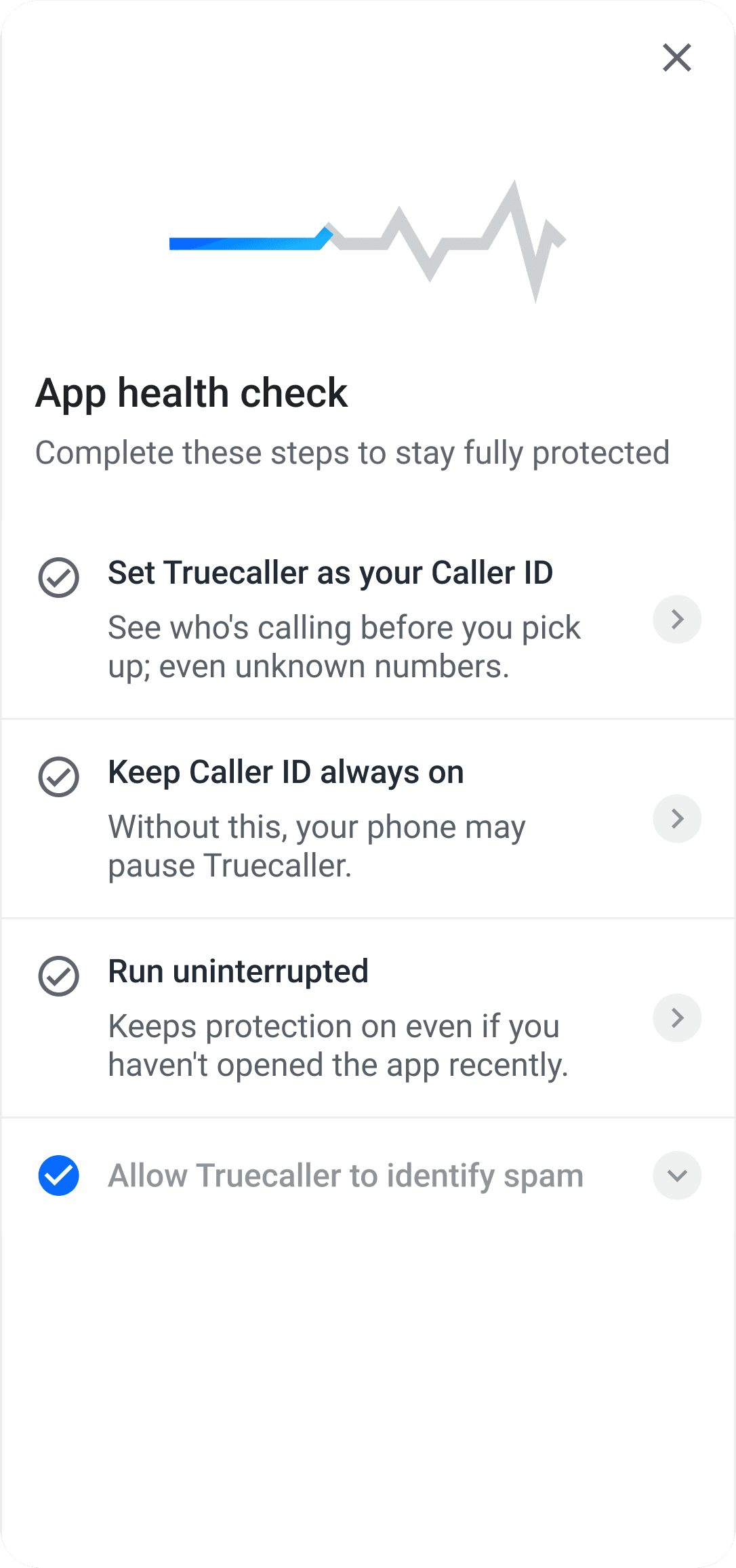


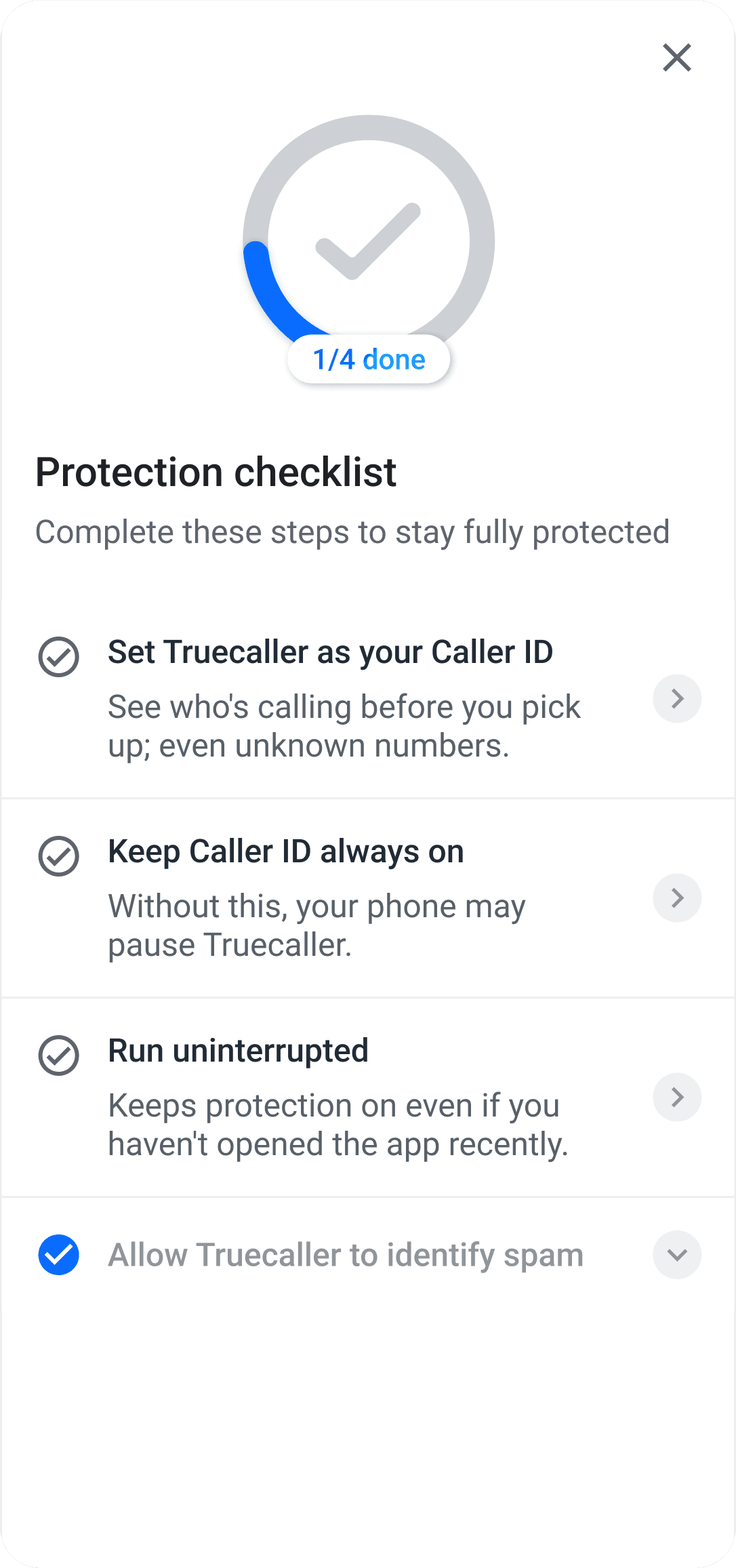
I reviewed the directions with other designers in product critique, using the feedback to narrow the concept before testing it with users.
USABILITY TESTING
Once the flow was ready, I ran an unmoderated usability study with 8 users on lower-end Android devices, asking them to grant all missing permissions using the checklist.
I deliberately tested the Vivo path with every participant. It was the most difficult OEM flow I had found, and I wanted to validate whether the tutorial provided enough guidance to complete it.
Most participants completed the flow successfully. Some initially missed the tappable row in Vivo’s settings, but when they returned to the checklist and saw the permission was still incomplete, they revisited the tutorial and understood what to do. This gave us confidence that the guidance could help users recover even when the system interaction itself wasn’t intuitive.
8 users · Lower-end Android devices · Hardest path deliberately tested
ITERATION
Designing for speed to launch
The usability test gave us confidence in the overall interaction model. Rather than continuing to refine the concept in isolation, we wanted to launch quickly, observe how it performed with real users, and iterate from there.
That meant being deliberate about scope. I simplified the interface and reused existing design-system components wherever possible, reducing implementation effort while preserving the core recovery experience.
TESTED VERSION

SHIPPED VERSION

Testing validated the interaction model. The shipped version focused on clearer hierarchy, lighter copy and reusable components.
Removed numbered steps because permissions didn’t need to be completed in a specific order, making recovery more flexible.
02 — DESIGNED FOR SPEED
Built the final checklist with existing design-system card components rather than introducing new patterns, reducing implementation effort and helping us ship faster.
03 — MADE COMPLETION TANGIBLE
Added haptic feedback and a clearer completion moment so successfully restoring the setup felt explicit.
04 — CLARIFIED THE HARDEST INTERACTION
Refined the Vivo tutorial with a more standardised animated tap cue. The final interaction used a ripple animation that I later built in Lottie.
IMPACT
users recovered at least one missing permission by 28 Aug 2026
96,009
newly granted Caller ID
30.6% click → granted
103,934
enabled unrestricted battery access
47.6% click → granted
101,401
enabled Run uninterrupted
34.4% click → granted
BEYOND THE CHECKLIST
A broader approach
The Protection Checklist became one part of a broader effort to make sure users retain the permissions Truecaller needs to deliver its core experience.
In parallel, we introduced interventions at different moments in the journey, both for existing users who had lost permissions and for new users during onboarding.
I designed an app-launch UME interstitial that directs existing users with missing permissions to the checklist. For new users, I designed a battery optimization step during onboarding, while the team also introduced a second opportunity to grant the Caller ID role when users decline it the first time.
Together, these initiatives address the same problem from different points in the lifecycle: recovering critical permissions when they are lost, while increasing the chances that new users start with the setup Truecaller needs to work reliably.
ONBOARDING → ACTIVE USE → PERMISSION LOST → RECOVERY


WHAT’S NEXT
Evolving the checklist from recovery to protection
The first version was intentionally lightweight: ship quickly, understand how users responded, and use real behaviour to guide what came next.
The results showed strong conversion once users entered a permission flow, but getting more users to take that first step remained the bigger opportunity. That has shifted my focus from simply showing what is missing to making the checklist better communicate protection, priority and urgency.
I’m now exploring a stronger hierarchy for the experience: clearer calls to action for each permission, a more prominent overall protection level, and statuses that communicate whether a user is Critical, At risk, Moderate or Fully protected.
I’m also questioning one of our original assumptions: that permissions should be completed in any order. The next iteration explores prioritising the permissions that matter most to Truecaller’s core experience, helping users understand not just what is missing, but what they should fix first.
REFLECTION
Growth design doesn’t end at launch
This project reinforced how closely product design, data and technical constraints are connected in Growth. What started as a question about passive leavers led me deep into Android permissions, OEM-specific behaviour and the conditions required for Truecaller’s core experience to work reliably.
It also changed how I think about shipping. Instead of trying to perfect the checklist before release, we deliberately reduced scope, reused existing patterns and launched quickly enough to learn from real behaviour at scale.
The work is now feeding directly into the next iteration. What began as a recovery tool is evolving into a clearer protection experience — one that not only helps users restore missing permissions, but communicates their overall state and guides them towards the actions that matter most.